Spoiler: it's not to avoid it.
One of my favorite design activities is cataloging and standing in front of a bunch of design problem variables. A wall of physical sticky notes with bits of information, ideas, and thoughts scribbled down. A large canvas with seemingly unending bounds. Working to organize into clusters and relationships, making connections and seeing contradictions all within one field of view, relying on periphery vision to drive engagement around me. The power of non-linear thinking, consideration, and problem solving.
When you're solving "wicked" design problems, progress doesn't come in a straight line. It's all over the place. It's mentally tripping over yourself, falling on your face, getting back up again, and trying again. It's jumping from one idea to another that's halfway across the wall…seemingly unrelated on the surface. It's falling into the rabbit hole to discover a path no one seems to have noticed before. Then, it's lifting out and comparing multiple different options side by side without losing sight of the fourth one. It's working and moving between conceptual spaces. You're not thinking in sequence. You're thinking in constellations.
Now imagine trying to do that same work through a chat interface with an AI. This should immediately break your brain. Because, I believe…you can't.
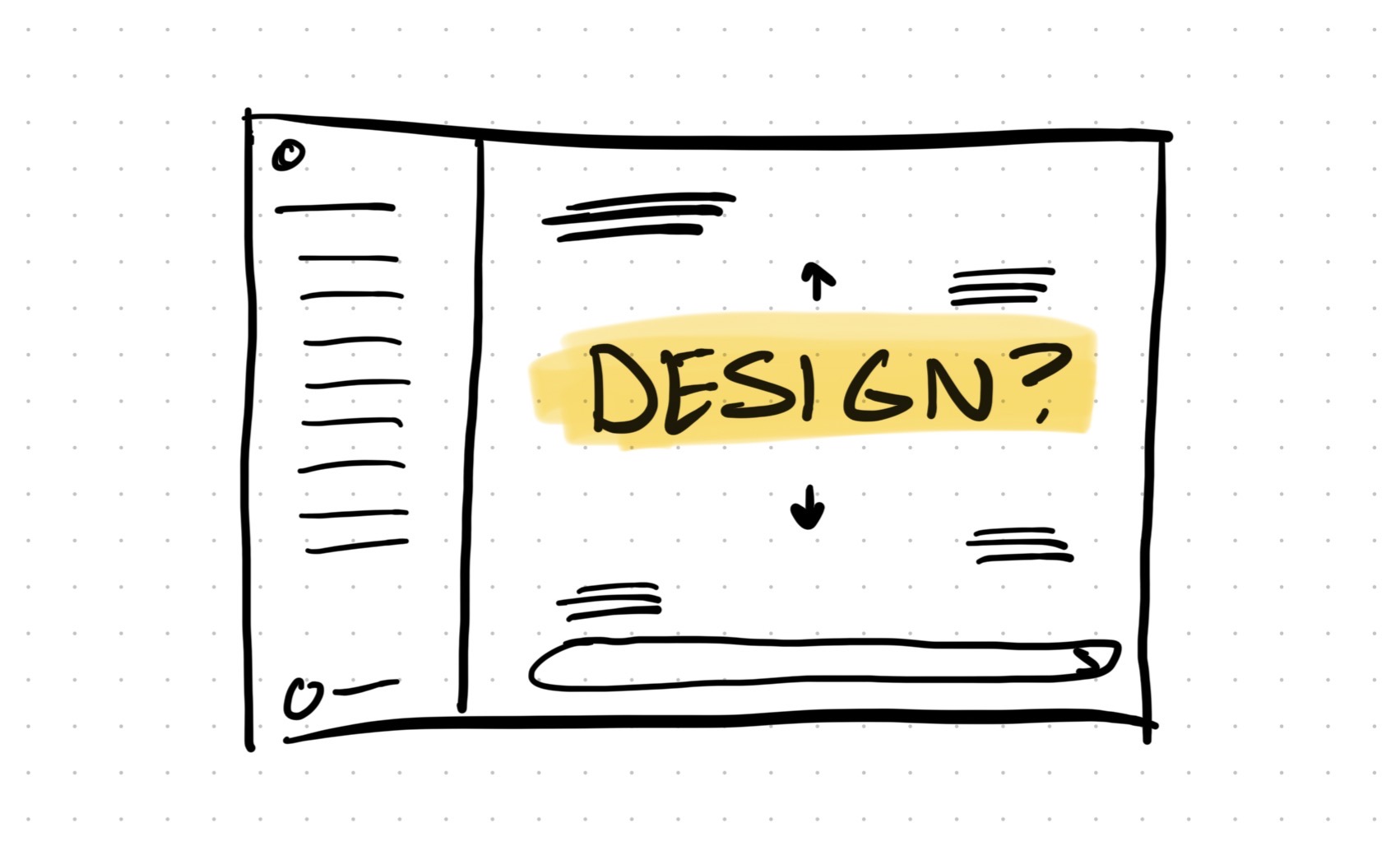
Not really. You're scrolling. You're typing. You're reading responses one after another, watching things disappear up into the scroll. You've gotta remember what you said three prompts ago and what the output was along the way. Because it's not on screen anymore.
To make matters worse, the linear form of most generative interfaces and underlying technology push everything into a single thread, rather than easily exploring multiple threads at once.
The question isn't whether or not designers should use these tools. The question is: How designers can still think and operate as designers while using these tools? Because the current state of most of these tools push against healthy design practice. And, if we aren't careful, the tool starts shaping how you think and work instead of supporting how you actually need to think and work.
Four Anti-Design Pressures of Generative AI
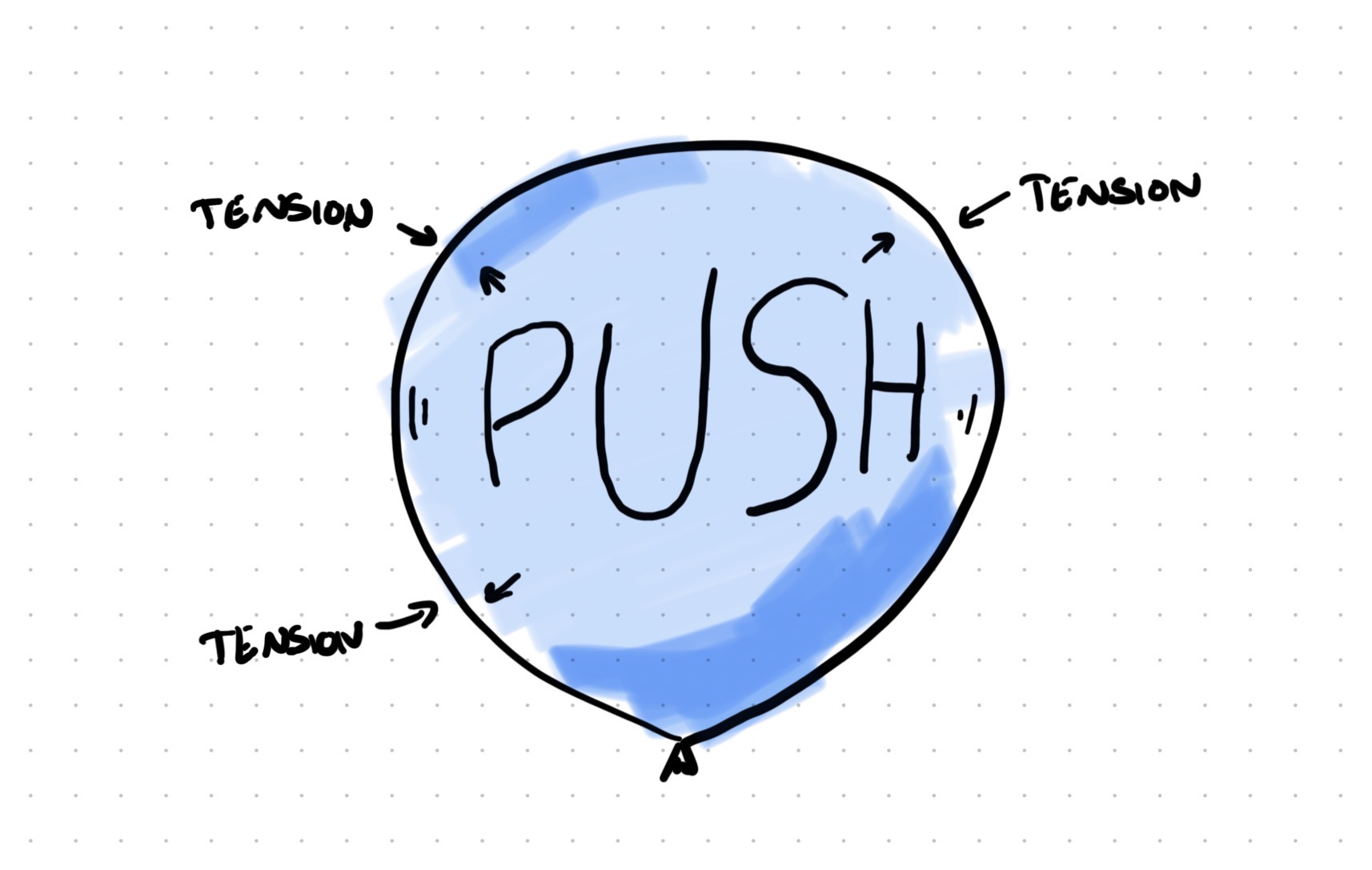
Imagine you're blowing up a balloon. At first there's almost no resistance. But the more air you force in, the harder the material pushes back. You can feel the limits. And if you keep pushing…BOOM. It pops.
This is the kind of pressure designers should be aware of when they use the generative tools (available at the time of writing in early 2026). I'd like to highlight four key pressures between how design thinking works and how these tools are built to function.
Linear vs. Non-Linear
Design thinking is spatial. You spread things out. You arrange them. You see patterns across multiple ideas at once. Bill Buxton talks about this in Sketching User Experiences. The power of sketching isn't just that it's fast. It's that you can lay 10 sketches on a table and see them at the same time. We process that spatial arrangement differently than it processes a list or series of pictures. You're not reading the sketches. You're interacting with them spatially, all at once.
Most generative AI interfaces are sequential. They're threads. One thing after another. You prompt, you get a response. Follow that with another prompt, get another response. The old stuff scrolls away. Even if you scroll back up, you're still moving through a timeline. You've lost the spatial dimension entirely. You're stuck in the linearity of the app.
This has a big effect. When you're working through design options, you don't move forward or backward in a line. You jump around. You revisit. You make connections between ideas that are far apart. You pull apart. You remix. You put together. Sequential, linear views make it way harder, or impossible.
Text vs. Visual
Designers think visually. Not just "drawing pretty pictures." It's problem solving by making things visible so you can interact with the idea. You sketch a flow. You draw a wireframe. You use visual hierarchy and weighting to understand relationships between elements. Christopher Alexander wrote about this in Notes on the Synthesis of Form. You find the solution by exploring visually, experientially and through "the mind's eye". Not by describing it in conversation.
As of the time of this writing, most generative AI tools are text based. Even the ones that generate images still rely on text from you and in the background. You describe what you want. The tool generates it. You describe changes. The tool adjusts. It's all filtered through words.
When you describe an idea or concept in words, you've converted visual information into written language. That's limiting. You've made choices about what to mention and what to leave out. And, you've migrated the idea from a concrete visual form to ambiguous words left to interpretation.
Limited vs. Infinite Context
Your brain holds massive amounts of context naturally. You remember the user research from last month. You know the technical limits the engineering team mentioned. You've got that conversation with the product manager floating around in your head. You're holding all of this together while you're designing. It's amazing.
LLMs have "context windows." There's only so much that can be fed in at once. They're getting bigger, but there's still a limit. And there's a cost to that context. The more you load into the conversation, the slower and more expensive it gets. Every bit of it becomes context the chat thread carries forward, whether you want it to or not.
This means you've got to be careful about what context you include. You're three hours into a design session and realize you forgot to mention the technical constraint from last week's engineering sync. Now you've gotta decide: paste it in and slow everything down, or just work around it and hope for the best. You're managing the tool's limits instead of freely thinking.
Convergent vs. Exploratory
Here's the big one. And probably the most important one. LLMs generate outputs. (Duh.) They're completion engines. You give them a prompt, they complete it. Every single time. You ask for a thing, they make the thing. That's what they're built to do.
However, design is exploration work. You make things to understand problems, not merely to finish them. Nigel Cross writes about this in Design Thinking. Good designers don't start with clear requirements up front and execute. They explore to discover what the problem even is. They sketch multiple options not because they can't decide, but because the act of sketching reveals what works and what doesn't.
GenAI tools want to give you finished outputs. You need to explore possibilities. Those are totally different ways of working.
When the tool's pushing toward outputs, you start requesting outputs. "Make me a landing page." "Generate a user flow." You've shifted from exploration to execution without even noticing. These four pressures don't just make the work harder. They change what kind of work you do.
When the Tool Starts Thinking for You
So what do you do with all these tools that don't naturally match how you think? You adapt. You change how you work to fit the tool. And that's where things get messy.
Comparison becomes expensive. If you want to compare three design directions, you've gotta generate them one by one, scroll back and forth, or paste them into another tool. In a physical space, you'd just lay them out. Done. But here, comparison has friction. So you do it less. And when you compare less, you explore less.
The tool quietly narrows your exploration without you noticing. Look at how Midjourney works. You get four variations on your prompt. But they're typically mild variants on the same concept. Not four different concepts. The tool wants you to polish, not explore something totally different. And if you're not careful, you start thinking that way too. "Let me refine this" instead of "Let me try something completely different."
Then comes the deeper shift. You stop exploring and start requesting. You open Claude or ChatGPT and think "How do I get it to output a spec?" That's the wrong question for design work. The right question is "How can I discover what the best solution is?" But the interface is asking you for a request. So you make one. Then another. Then another.
Slowly, you're not just working differently. You're thinking differently. You've shifted from making things to understand problems into requesting things to fill deliverables. The sketch used to be your thinking tool. Now the prompt is your production tool. Those are completely different relationships with your work.
A designer who can craft an incredible prompt but can't explain why their solution is the right one isn't designing anymore. They can't walk you through the five other concepts they considered. Because they didn't consider five other concepts. They crafted one really good prompt, creating one great out.
That's not designing. That's lazy.
And this is happening right now. Not in some distant future. Designers are adopting these tools fast. We're training a generation to think sequentially, to request instead of explore, to describe instead of make. The tool feels productive. It's generating stuff. You're getting things out. Stakeholders see deliverables. But underneath all of that, the thing that makes you a designer is quietly eroding.
Making It Work
So what do we do? Give up AI tools entirely? Nope. That's just burying your head in the sand. These tools are legitimately useful for pieces and parts of the design process. But you have to be smart about it. You have to use them with intention.
Here's are some ideas to try out:
- Sketch first, describe second. Don't open your favorite GPT and start prompting. Start on paper. Or a whiteboard. Or a tablet. Get some visual thinking out first. Explore the mess. Then bring AI in to help refine, document, or extend what you've already explored. You're using it as a tool for your thinking, not a replacement for your thinking.
- Export and spread out. If you generate multiple options through an AI tool, don't try to compare them in the chat thread. You can't. Export them. Put them in a Figma file. Print them out. Spread them on a table. Get them on the wall. Yeah, it's extra work. But it's worth it because that's how your brain actually processes options. You need the spatial dimension back. Scrolling is not comparing.
- Use parallel threads to force divergence. Open multiple conversations. Give each one a different angle on the same problem. Force yourself to generate truly different approaches at the same time instead of refining one idea deeper and deeper in a single thread. It's clunky, but it breaks the linear thinking trap that these tools quietly push you into.
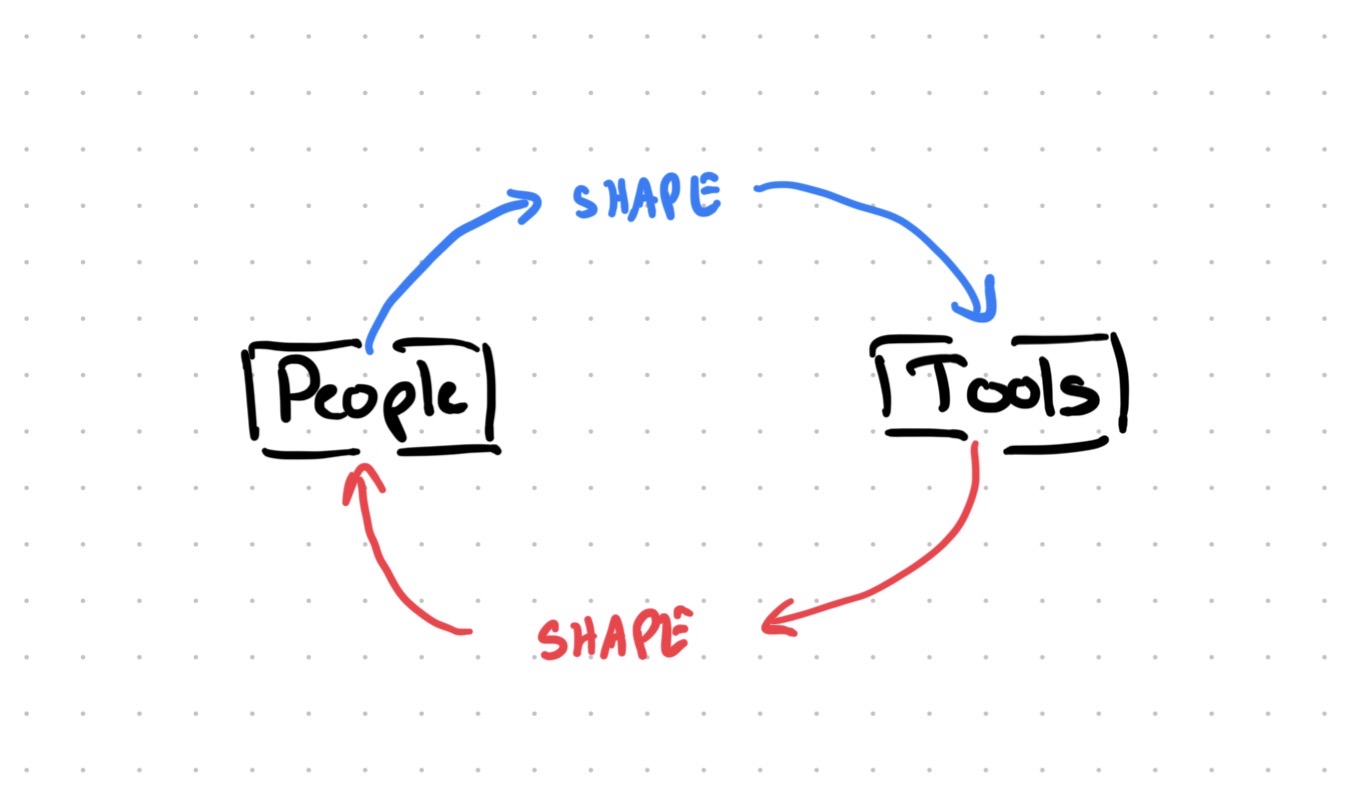
- Shape your tools for exploration. I've been working on a Claude skill that helps structure design exploration. It doesn't generate designs. It asks questions that push you to consider different angles, compare tradeoffs, and say why something works. The tool supports exploration instead of replacing it.
The point isn't to avoid AI tools. The point is to use them in ways that make your design practice stronger instead of weaker.
Stay a Designer
These tools are legitimately amazing for certain kinds of work. Text problems. Sequential problems. Generation problems. If you need copy variations, documentation drafts, or framework exploration through words, they're fantastic.
But design isn't a text problem. It's visual, spatial, and exploratory. It needs massive context and the freedom to jump between ideas without losing them. The tools aren't built for that yet. And that's fine. Tools don't have to be perfect to be useful. But you've gotta actively fight the pull to reshape your practice around their limits.
Use the tools. But don't let them use you. Keep sketching. Keep spreading things out. Keep exploring multiple directions before you let anything converge. The next step is learning to use AI like a designer, not instead of one.
Stay a designer. Not a prompt engineer. Not a requester. A designer.